Cabloy Start
Cabloy Start includes a set of ready-to-use Vona/Zova suites designed to accelerate fullstack project development
Type | Name | Description |
|---|---|---|
Vona Suite | vona-suite-cabloy-start | MIT, included when creating a Vona project |
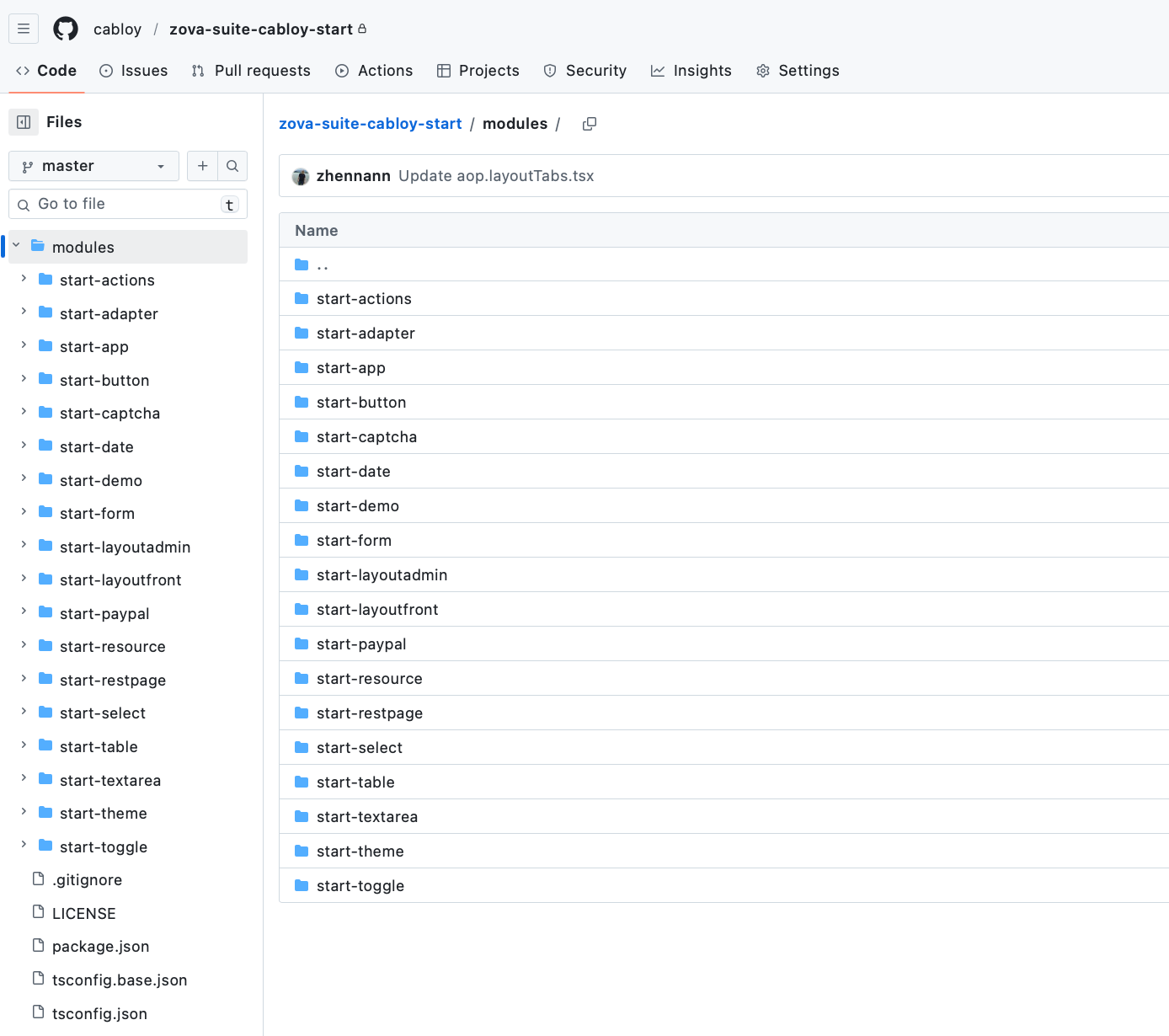
Zova Suite | zova-suite-cabloy-start | Automatically grants access to the GitHub repository after purchase, https://github.com/cabloy/zova-suite-cabloy-start |
License
$298/Year
1 Developer Seat (GitHub access)
Unlimited Projects (Commercial use allowed)
Lifetime Updates
Invited to join private chat group
Features
Fullstack: BuildingSSR/SPA/Website/Adminin one codebaseAdmin Supports SSR: Provides full SSR support for the Admin applications, preventing sidebar flickering on page refreshCRUD Dynamic Rendering: Dynamically render CRUD list pages, entry pages, and search forms, while demonstrating best practices for Tanstack Table, Tanstack Form, and Tanstack QueryDual-layer Tabs Navigation: Supports dual-layer tabs navigation, enabling efficient page switching while maintaining page stateUI Library: Uses the latest version of VuetifyJS
Documentation
Demo Online
Uses the same codebase to implement Cabloy Store's Website and Admin
Website: https://cabloy.com
Admin: https://cabloy.com/admin
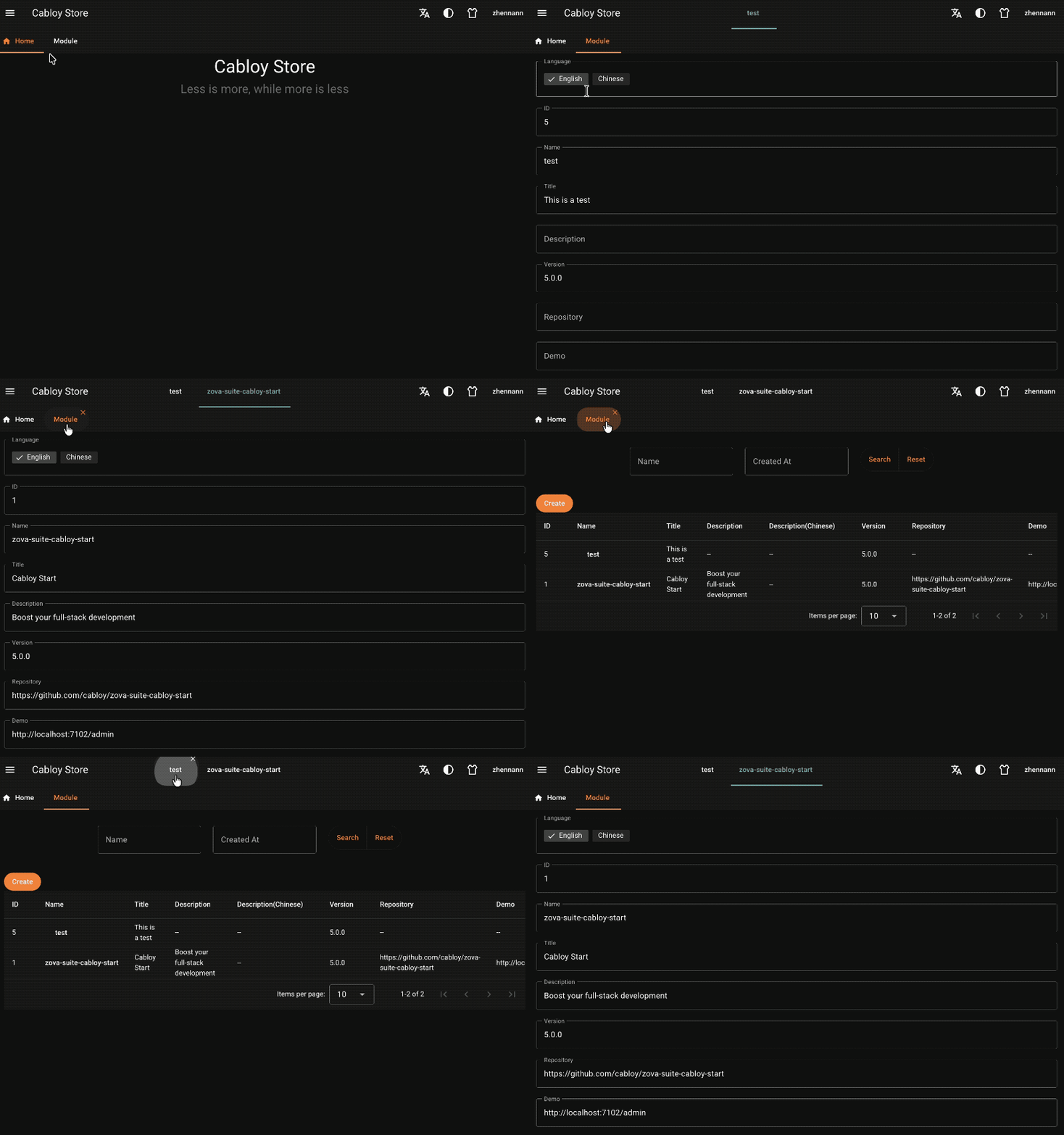
Demo GIF
Dual-layer tabs navigation
GitHub Repository Screenshot (Zova Suite)
Modules (Vona Suite)
Name | Description |
|---|---|
start-siteadmin | Used to implement |
start-siteweb | Used to implement |
Modules (Zova Suite)
1. Core Modules
Name | Description |
|---|---|
start-layoutadmin | Layout component for |
start-layoutfront | Layout component for |
start-adapter | UI components adapter: provides common UI components for rendering |
start-restpage | Dynamically renders CRUD list pages, item pages, search forms, and provides best practices for |
start-paypal | Frontend rendering component that integrates with Paypal API |
start-theme | An orange theme implemented based on |
2. Other Modules
Name | Description |
|---|---|
start-actions | Provides common actions usable in ZovaJsx: |
start-app | Provides application-level behavior components, enabling multiple popup capabilities: |
start-button | Enhanced Button component: 1. Automatically displays loading icon, 2. If click event fails, automatically pops up an error message |
start-captcha | Ready-to-use captcha component |
start-date | Date range component that automatically handles |
start-demo | Some demo code |
start-form | Form behavior component, controls form rendering behavior based on |
start-table | Table component implemented based on |
start-select | Select component for rendering in |
start-textarea | Textarea component for rendering in |
start-toggle | Toggle component for rendering in |
start-resource |
|